Introducing the Intent Bar
The intent bar is a command bar for web apps. People type what they want done, the bar shows exactly what it will do, and your app does it. It completes what Fernfly models started, and it replaces our website chatbot.
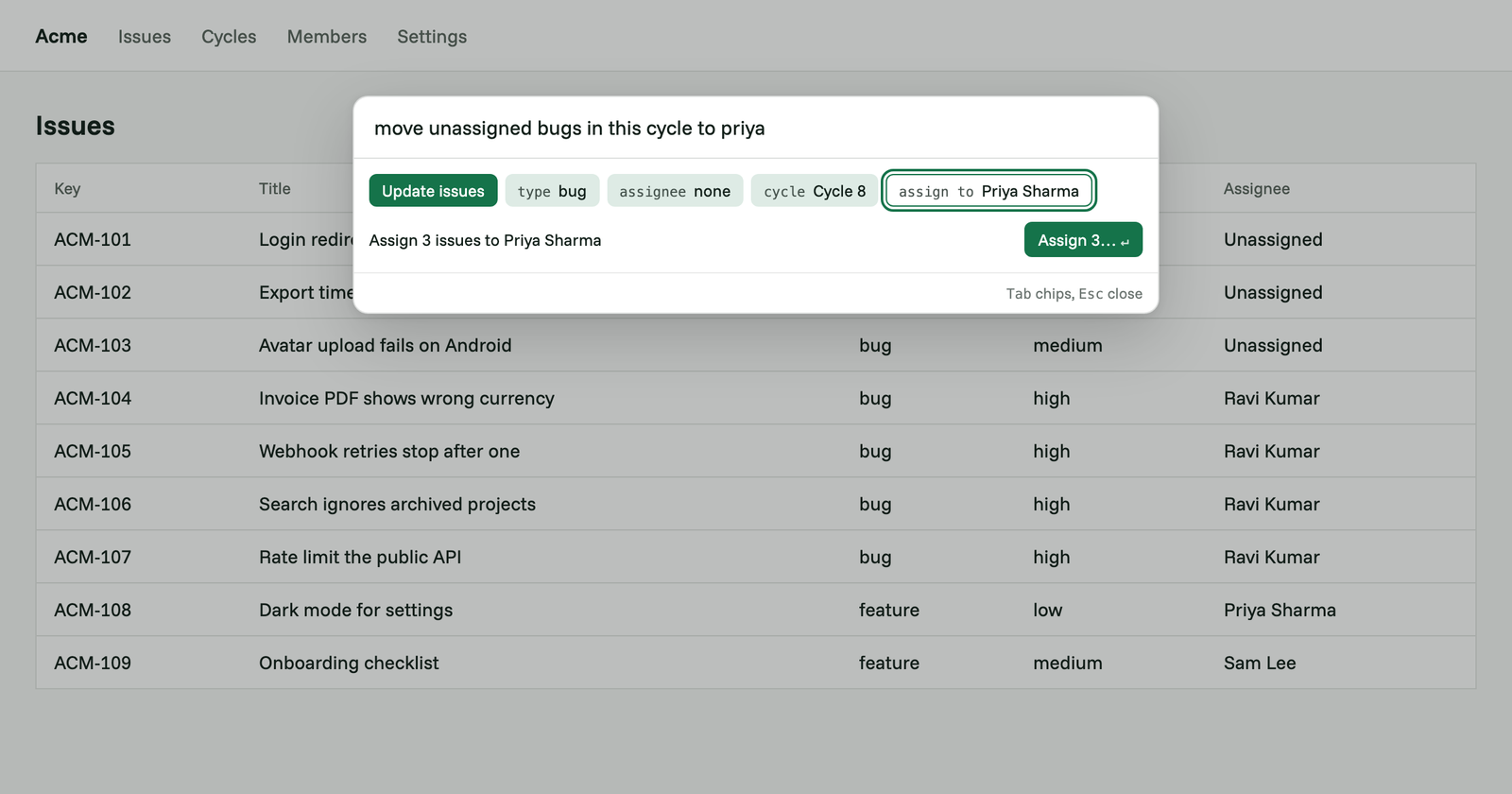
The intent bar is a command bar you add to your web app. Your users press ⌘K, type what they want done in their own words, and the bar turns it into an action your app already has: a filter, a bulk edit, a new record. It shows what it is about to do, and your app does it once the user agrees.
It is available today as an npm package, @fernfly/intent-bar, on every Fernfly plan, Free included. It is now at the centre of Fernfly, and we rebuilt fernfly.com around it.
The problem
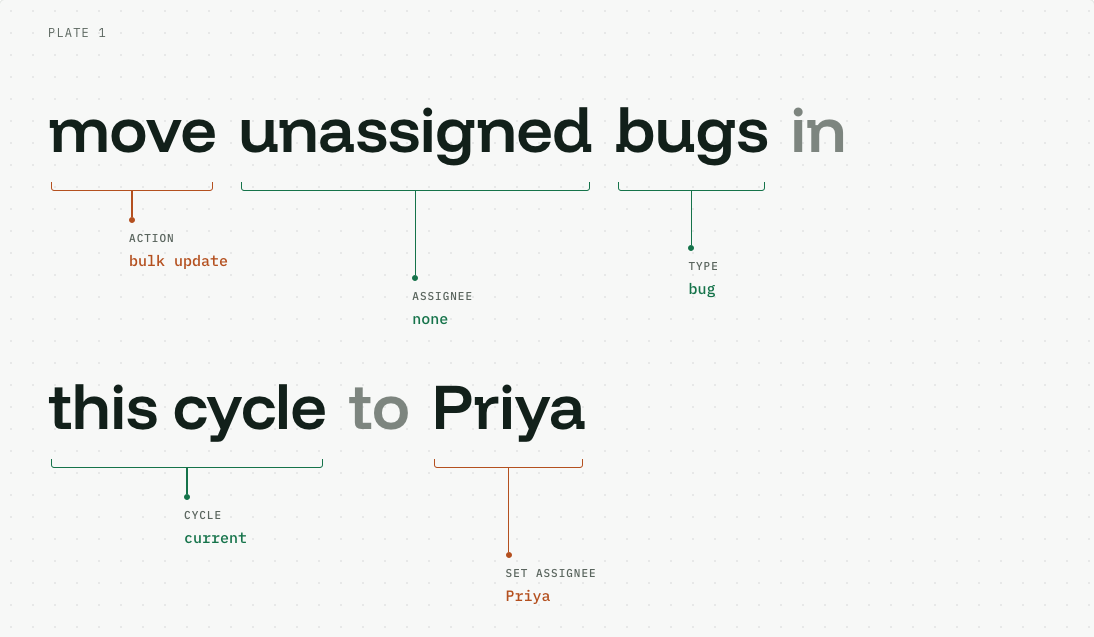
Most web apps can do far more than their users ever find. To act on a request like "move unassigned bugs in this cycle to Priya", a user has to know which page the bugs are on, which filters to set, how to select the results, and where the bulk edit menu is. That is a dozen clicks across several screens for something they could say in one sentence.
Fernfly models were made for this. A model trained on your app's API reads that sentence and returns the API call it describes, with every detail filled in. But a call does nothing until something runs it. Until now, that part was yours to build: a place for users to type, a way to show them what the model understood, a check before anything changes, and the code that runs the call. That was a lot to build before a model could do anything for a user.
Why the chatbot was not the answer
Our first answer was the 1-Click Chatbot, launched in July. It went further than most chatbots, because it acted on a website instead of only answering questions. But it was a chat window, and we presented it as one, so people expected a conversation rather than a tool for getting work done. When a chat bubble carries out an action, it is hard to see exactly what it did, and there is no easy way to check the details first or correct a mistake. It also sat on top of a site, next to the product rather than inside it.
So we are retiring the chatbot. The intent bar does the job the chatbot was reaching for, in the place where the work happens.
Why an intent bar
- It lives inside your app. It opens with one shortcut from any screen, over the page the user is already on.
- Nothing happens without a check. Every action is shown before it runs, and changes to many records always wait for a yes.
- Your app stays in charge. Every call runs through your own code, with the signed-in user's permissions. Fernfly suggests the call. It never runs anything in your app and never holds your users' logins.
- It gets better with use. When users correct it, those corrections can become training data for your model.
- It looks like your app. It takes your app's fonts and colours, so it reads as part of your product.
How it works
Search
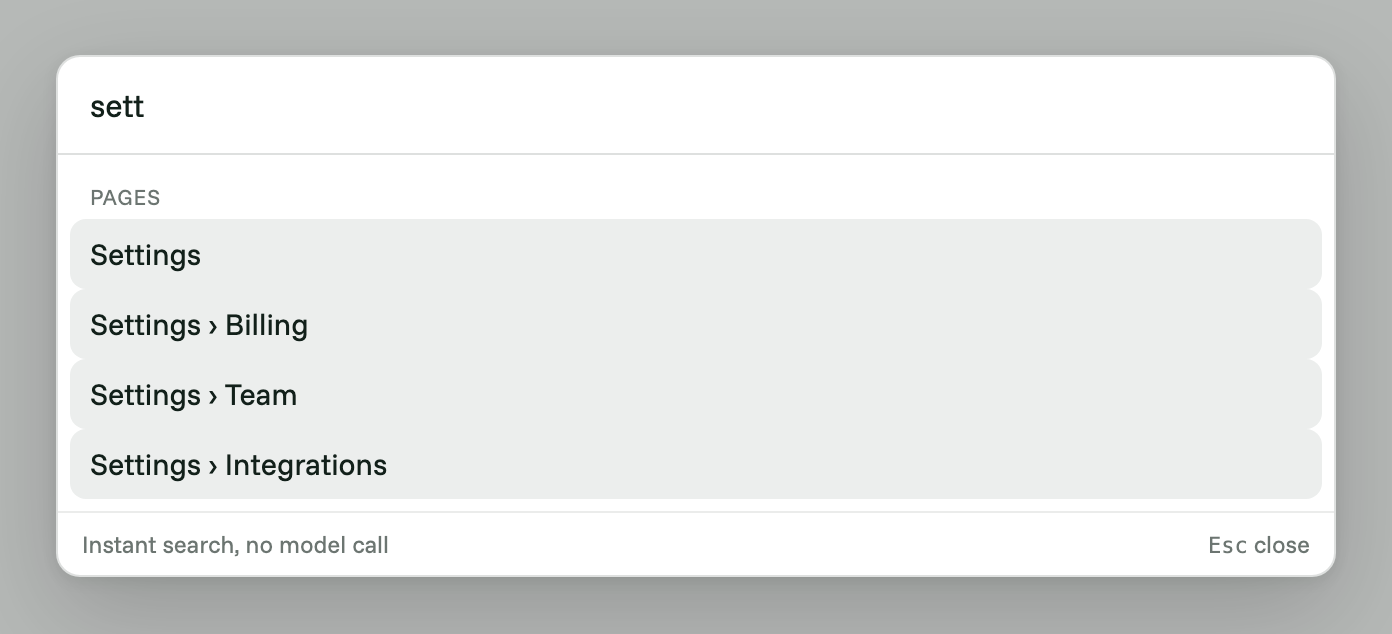
A word or two searches your app's pages and actions as the user types, like any command bar. This is instant and uses no model.
Chips
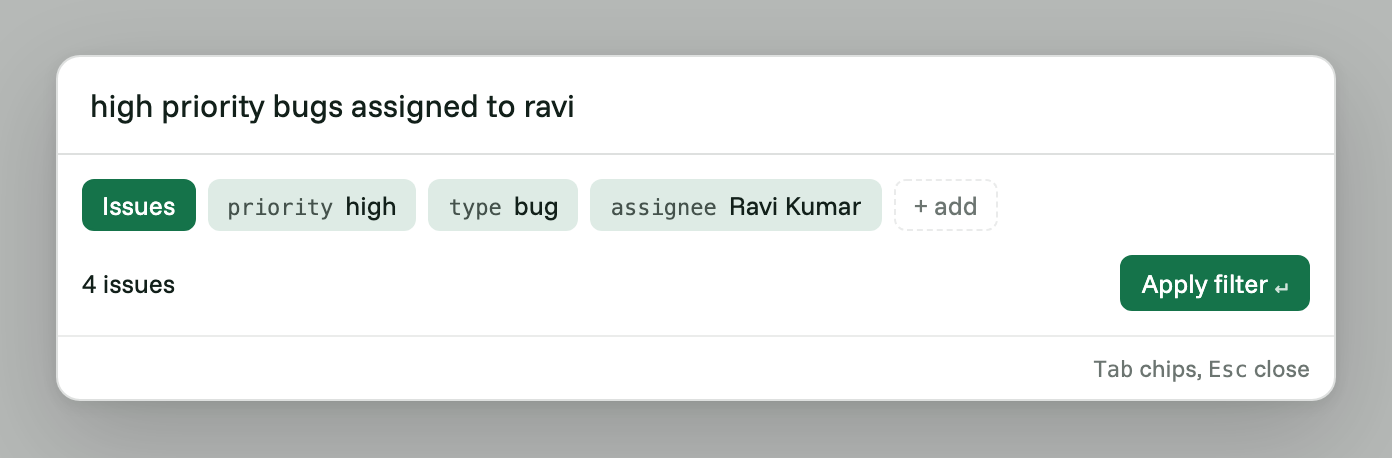
For a full sentence, the user presses Enter and the model returns the action and its details. The bar shows each detail as a chip, so the user can read at a glance what it understood, and counts how many records match.
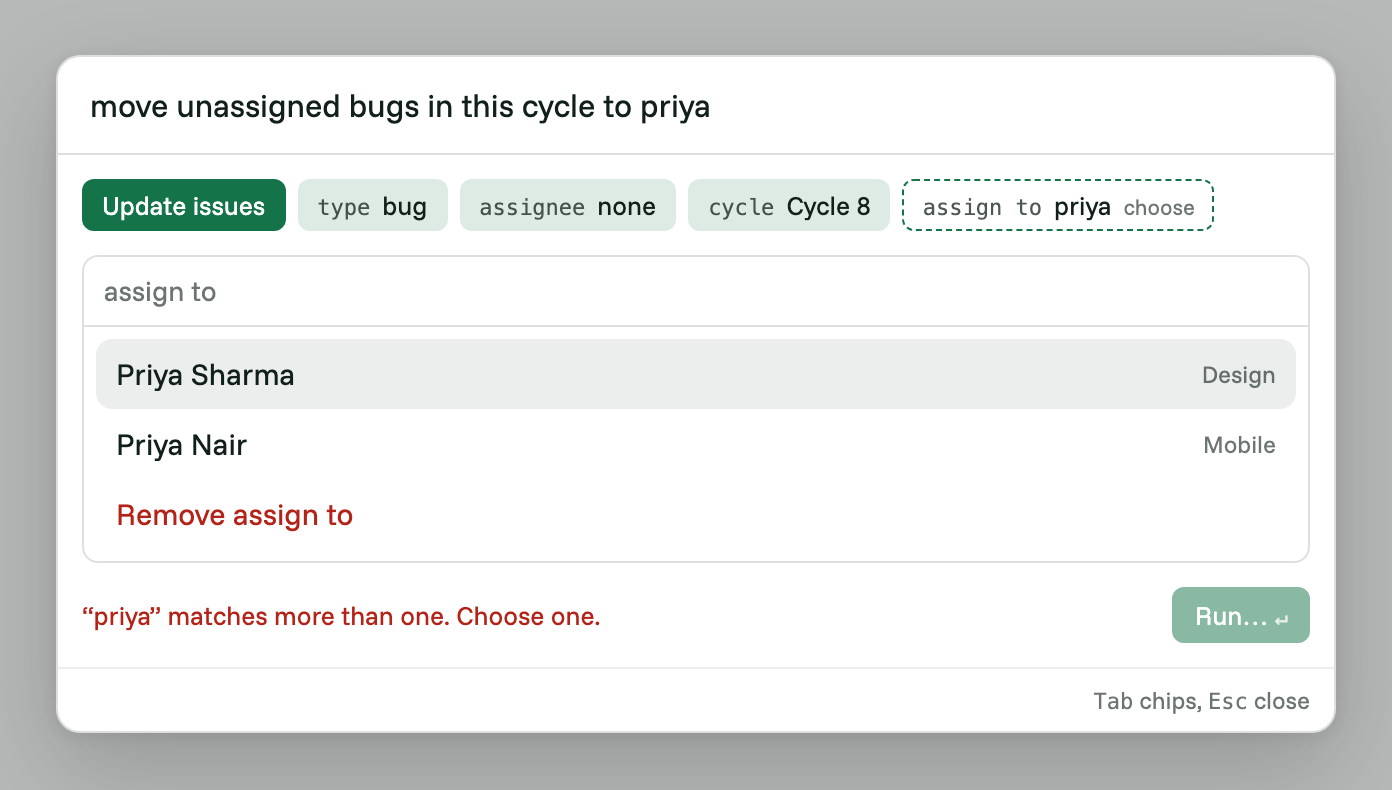
Your app turns the user's words into its own records. When a name matches more than one person, the bar asks which one before going further.
Run
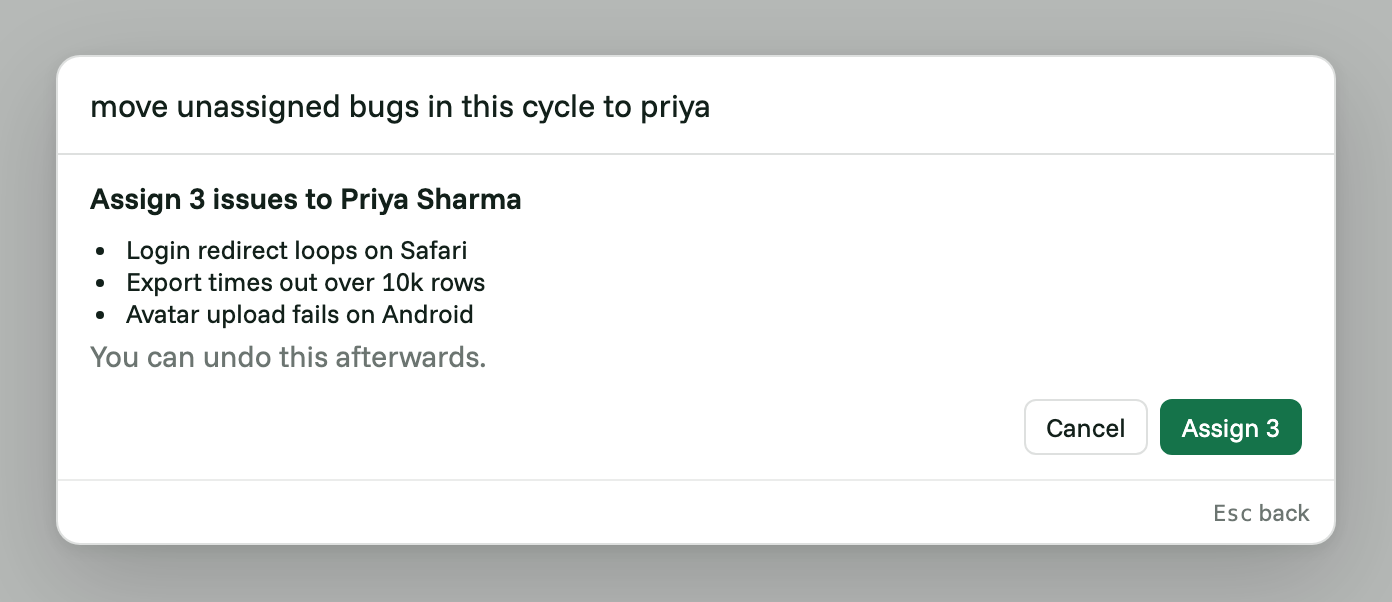
A filter or a page change happens as soon as the user presses Enter. Anything that changes data first shows how many records it will touch and a few of them by name, then waits for a yes. Your app can offer Undo afterwards.
Correct
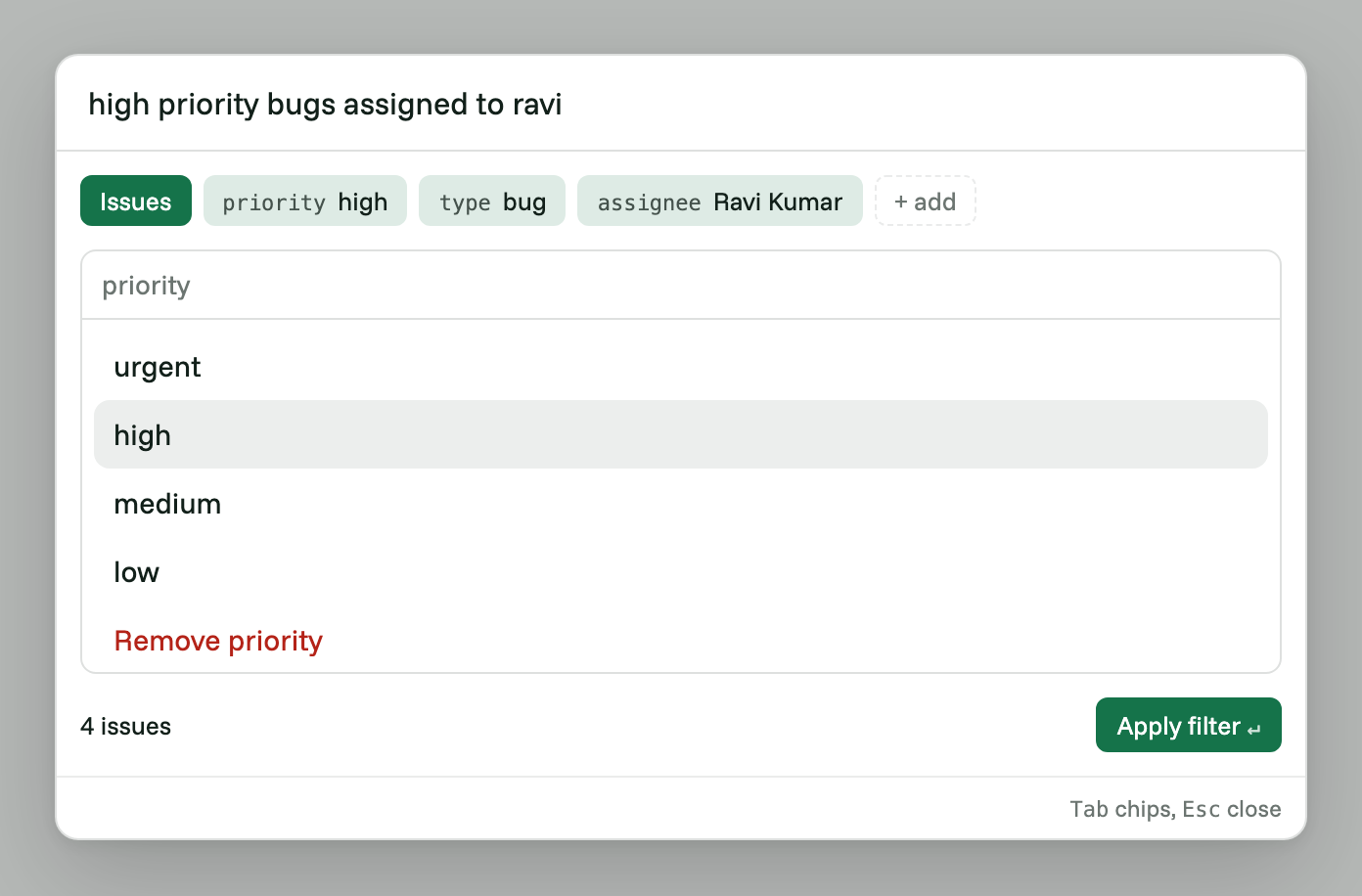
If the model gets a detail wrong, the user clicks the chip and picks the right value. When the action runs, the bar saves the change to your Fernfly Studio project as a correction. On the Pro plan, you review corrections in the Retrain tab and decide which ones your model learns from.
Getting started
- In Fernfly Studio, create a project from your API docs or an OpenAPI file. Studio writes training examples for you to approve, then trains a Fern model on them.
- On the project page, turn on Allow keyless calls so the bar can reach your model from the browser, and add your app's address to the allowed sites.
- Install the package and add the bar with your project's id:
npm install @fernfly/intent-bar
<IntentBar project="YOUR_PROJECT_ID" appName="Acme" tools={tools} />
tools tells the bar how your app carries out each action. Apps that don't use React can load the bar with a script tag instead. The guide covers both, and the Developers page describes the model's endpoint.
The package is early, and its API may change before version 1.0.
Existing chatbots
New chatbots can no longer be built. The /chatbot page and the one-click chatbot option in Studio are gone, and the embed code panel on the project page now manages only the access settings above.
Chatbots already on websites keep working. The code you pasted calls your project's endpoint, which has not changed, and the model behind it keeps running. If you run one and want to move to the intent bar, talk to us.

Anurag (aka `AnuRock`) leads tech and engineering at Fernfly, where he builds the platform that turns natural language into reliable tool calls. He aspires to be the dark lord of AI agents of the world one day.
LinkedIn