Introducing the 1-Click Chatbot
Paste your website address, get a chatbot that can actually use your site. No API spec, no prompt engineering, no account to set up first.
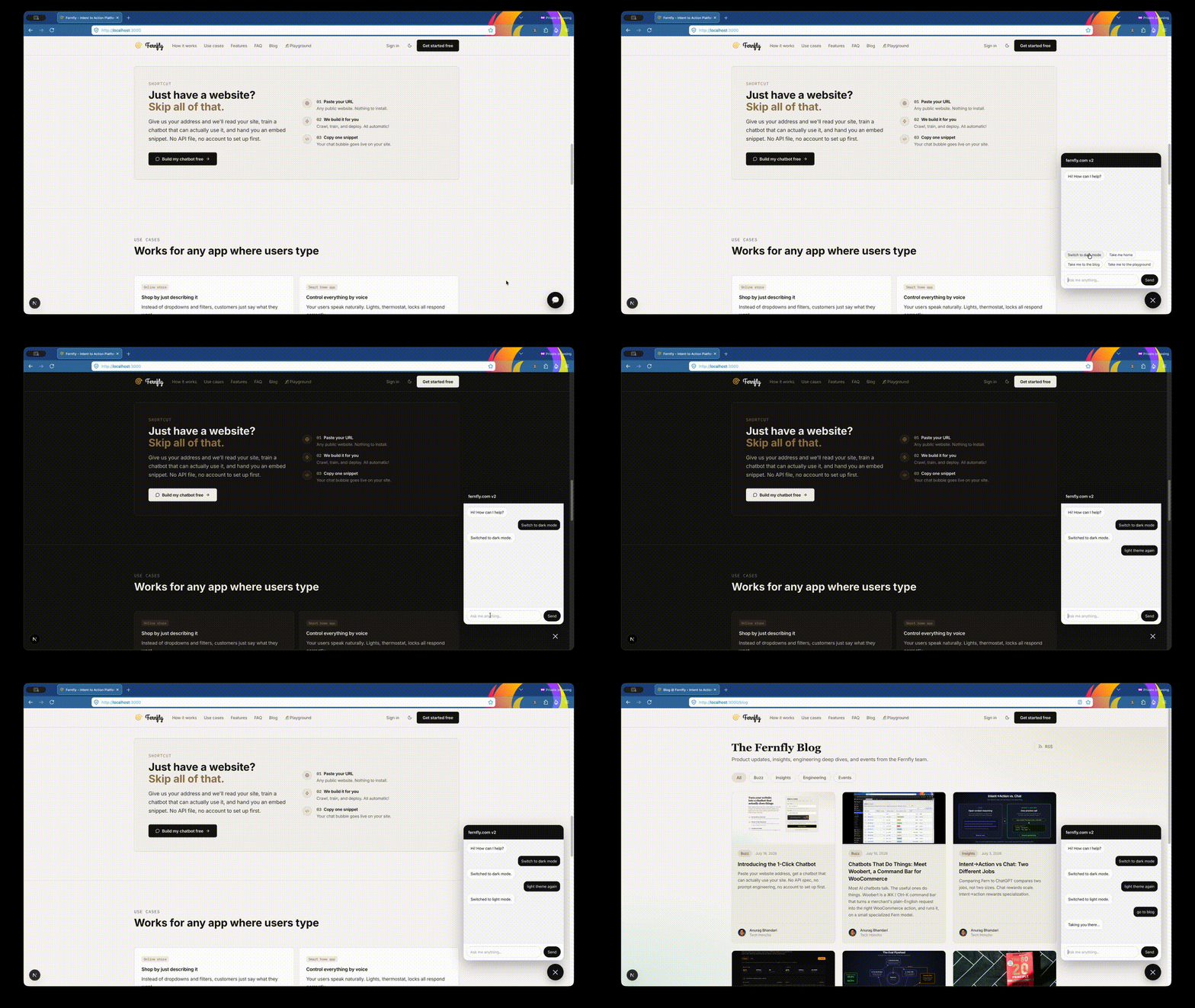
Every website chatbot you have ever met can answer questions. Ask one to actually do something (filter the catalog, jump to pricing, switch to dark mode) and it will cheerfully describe how you might do it yourself.
We think that is backwards. So we built the other kind, and we made it take one step to get.
Give us your address. We read your site, work out what a visitor can do there, train a small model on those actions, and hand you an embed snippet.
Why not just answer questions?
Answering questions is retrieval. It is a solved, commoditized problem, and it is not what your visitors are stuck on. They are stuck on doing the thing: finding the right product, reaching the right page, changing the right setting.
Fernfly exists to turn intent into action. A chatbot is just the most familiar surface for that idea, so it is where we started. Under the hood this is the same thing we have always done: fine-tune a small function-calling model on your tools. The only new part is that your website now counts as a tool source, right next to an OpenAPI spec.
What actually happens
You paste a URL and an email on the landing page. We send a sign-in link. Click it and the build starts on its own. There is no password to pick and no project to configure first. The account is created behind the scenes.
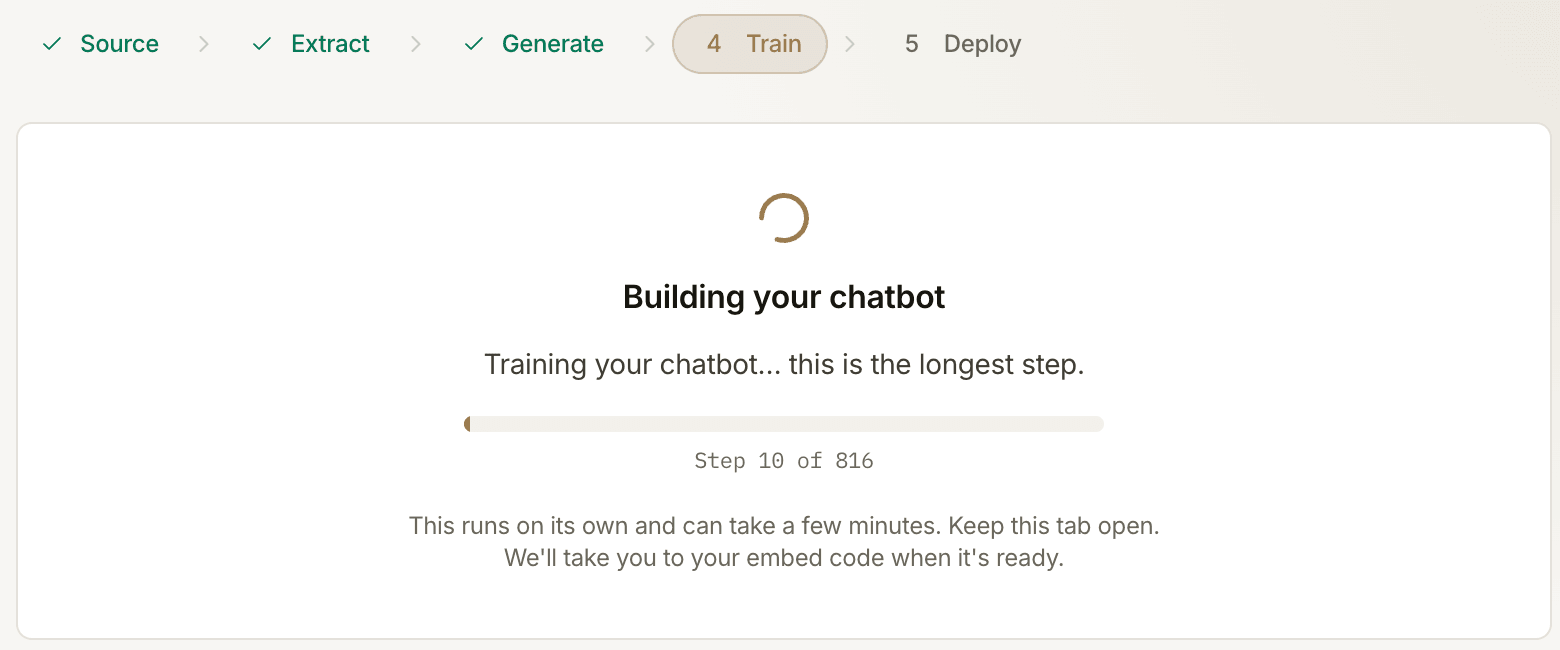
From there it runs unattended:
- Read the site. We crawl your public pages.
- Find the actions. We turn those pages into a tool list.
- Write the training data. We generate the phrasings a real visitor would type.
- Train. We fine-tune a function-calling model.
- Deploy. The model goes live and you land on your embed code.
Step 3 is the one people underestimate. A tool list alone does not make a model useful. It has to have seen the hundred sloppy ways somebody asks for the same thing.
What it found on mozilla.org
We pointed it at mozilla.org. The crawl came back with 25 actions, each one a
real thing a visitor can do on that site:
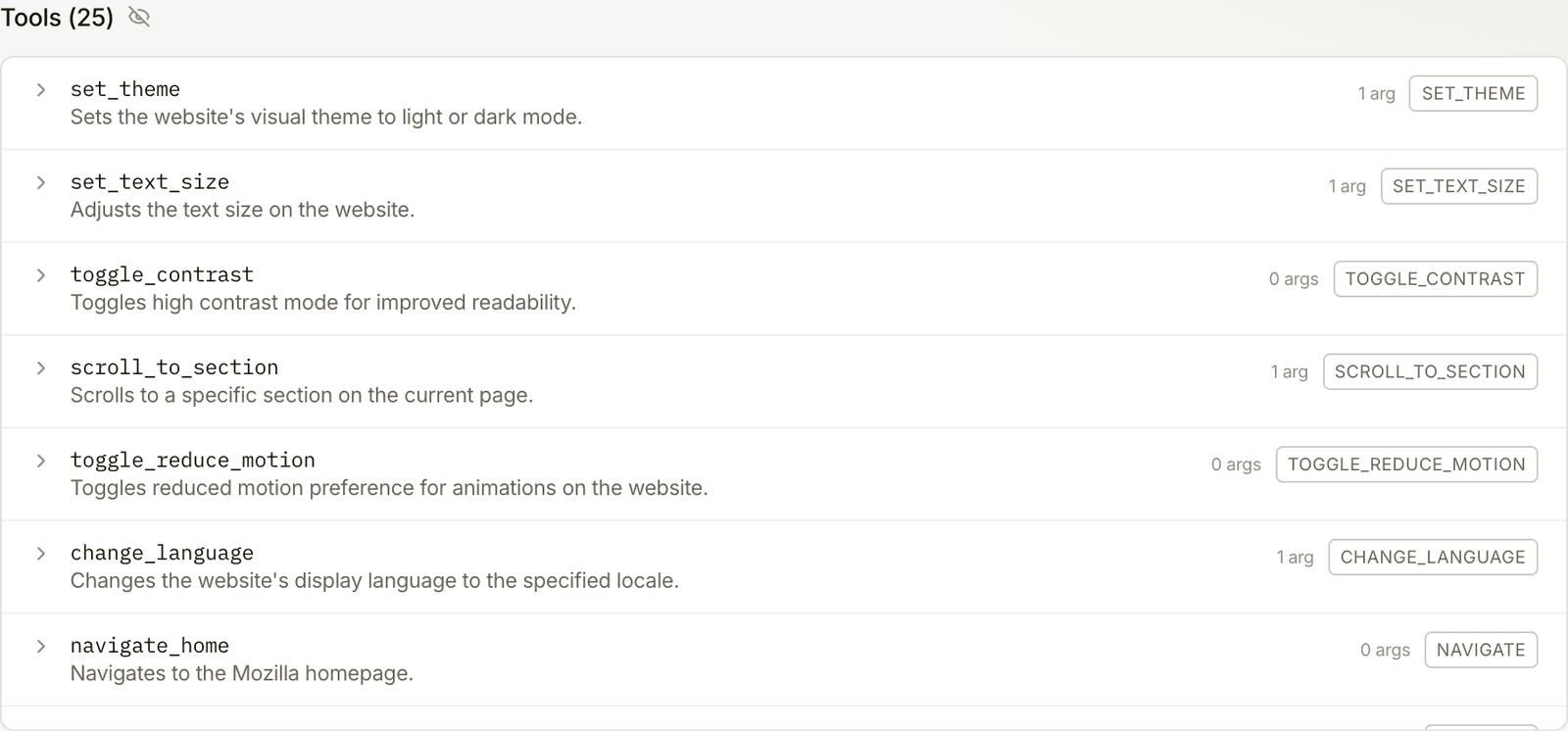
Note what these are not. They are not page summaries or FAQ entries. They are
functions with arguments: set_theme, scroll_to_section, change_language.
That tool list became 1,369 training pairs, which trained in 860 steps.
Then you can talk to it:
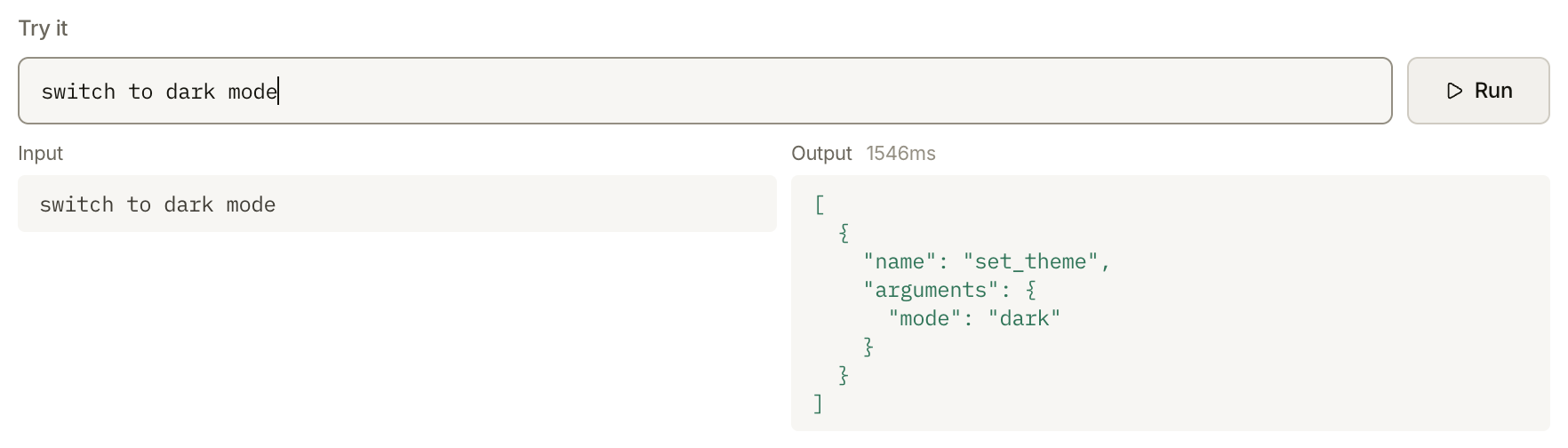
"switch to dark mode" comes back as a set_theme call in about 1.7 seconds. No
prose, no hedging, no apology. A tool call your page can act on.
Getting it on your site
One snippet, pasted before </body>:
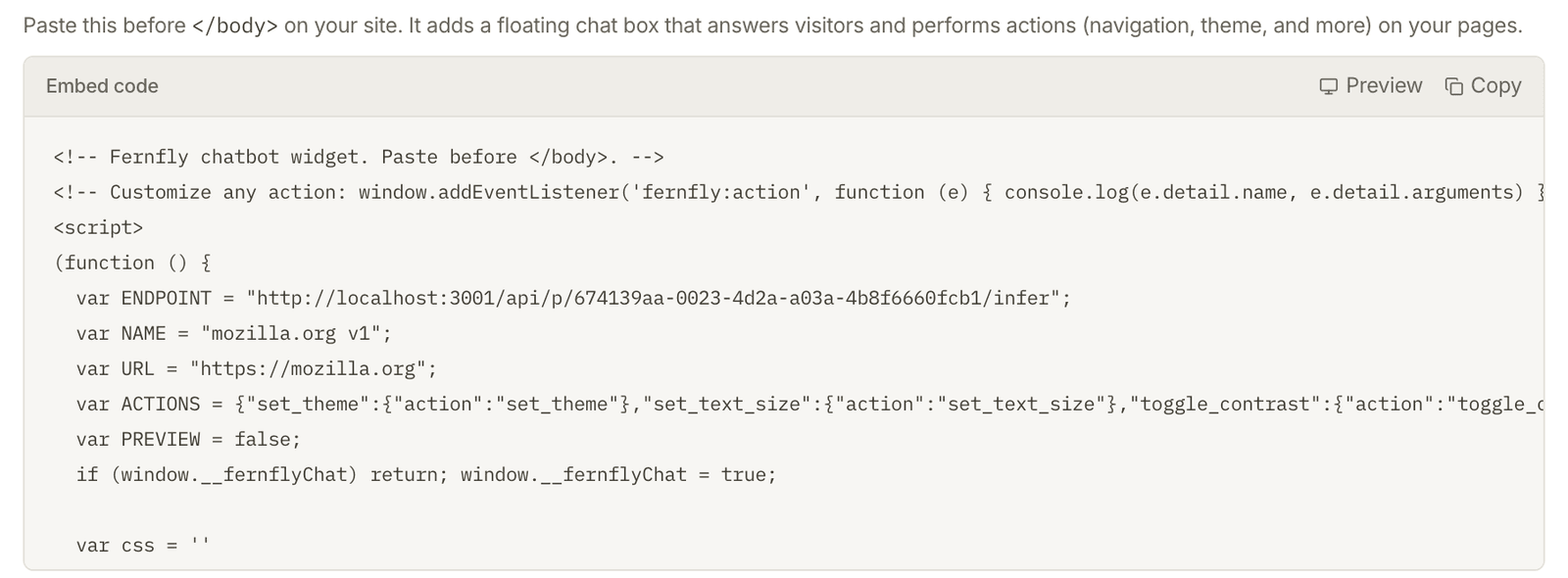
That is the whole integration. It draws the chat bubble, calls your model, and
fires a fernfly:action event for every tool call, so you decide what each
action does on your page. The defaults handle navigation and theme without you
writing anything.
There is a preview built in, so you can try the widget against a stand-in page before you touch your own site:
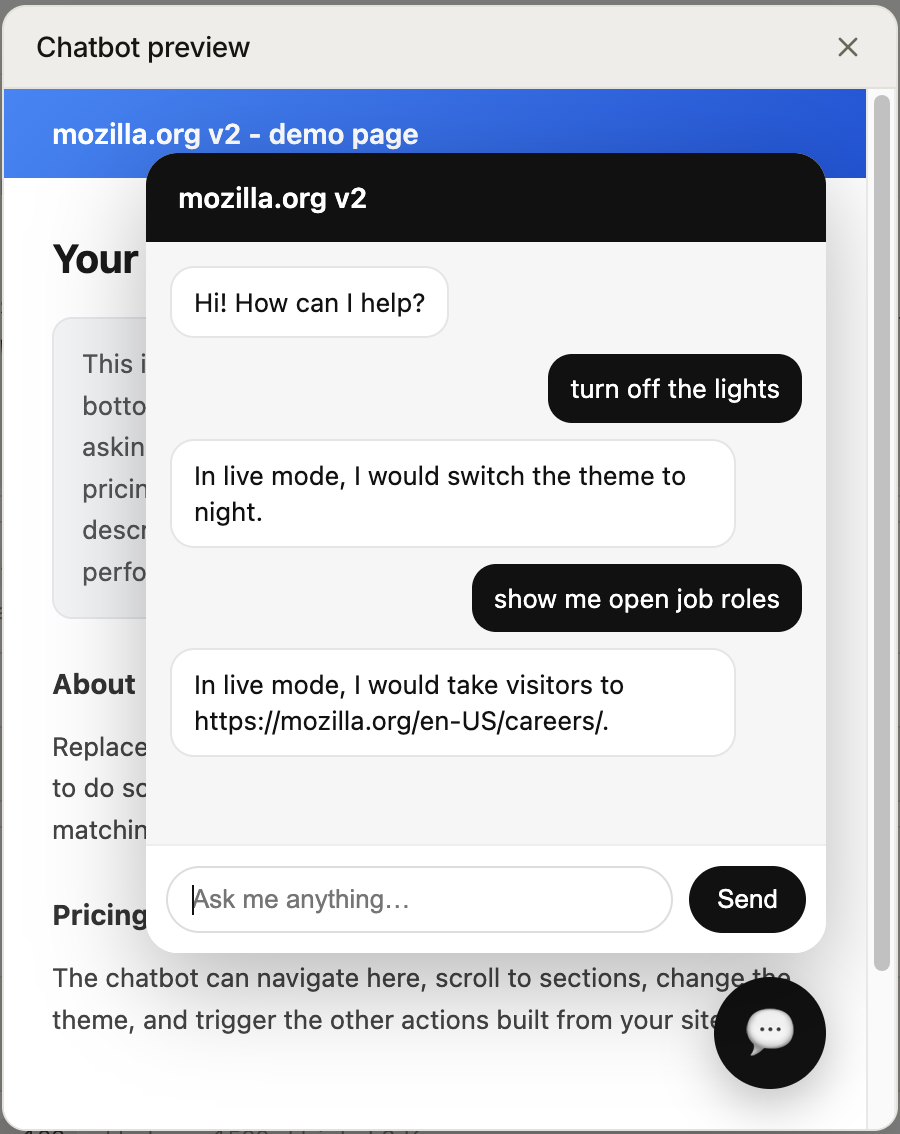
(In the preview it describes the action it would take. On your live site it performs it.)
The honest caveats
- Public pages only. We cannot read anything behind a login.
- It takes a few minutes. Mostly training. Keep the tab open.
- Your site has to do something. A single-page brochure gives the model very little to learn.
- You should own the site. We ask you to confirm that before we crawl.
Try it
You can try one live on our own website right now. The chat bubble in the corner of this page is one of these, built exactly the way described above. Ask it to take you to the playground, or to switch the page to dark mode.
Building your own is free, and it is one field away.
If you want the version with the knobs (your own API spec, hyperparameters, retraining), that is still there. This is just the door with no lock on it.
- The Fernfly team

Anurag (aka `AnuRock`) leads tech and engineering at Fernfly, where he builds the platform that turns natural language into reliable tool calls. He aspires to be the dark lord of AI agents of the world one day.
LinkedIn